
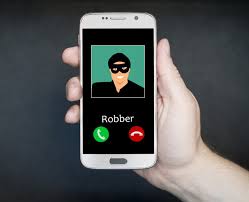
 Criminals can steal your phone number by pretending to be you, and then moving your number to another phone. They’ll then receive security codes sent via SMS on their phone, helping them gain access to your bank account and other secure services.
What is a Port Out Scam?
“Port out scams” are a big problem for the entire cellular industry. In this scam, a criminal pretends to be you and moves your current phone number to another cellular carrier. This process is known as “porting,” and is designed to let you keep your phone number when you switch to a new cellular carrier. Any text messages and calls to your phone number are then sent to their phone instead of yours.
This is a big problem because many online accounts, including bank accounts, use your phone number as a two-factor authentication method. They won’t let you sign in without sending a code to your phone first. But, after the porting scam has taken place, the criminal will receive that security code on their phone. They could use it to gain access to your financial accounts and other sensitive services.
Of course, this type of attack is most dangerous if an attacker already has access to your other accounts—for example, if they already have your online banking password, or access to your email account. But it lets the attacker bypass the SMS-based security messages designed to protect you in this situation.
This attack is also known as SIM hijacking, as it moves your phone number from your current SIM card to the attacker’s SIM card.
How Does a Port Out Scam Work?
This scam has a lot in common with identity theft. Someone with your personal information pretends to be you, asking your cellular carrier to move your phone number to a new phone. The cellular carrier will ask them to provide some personal information to identify themselves, but often providing your social security number is good enough. In a perfect world, your social security number would be private—but, as we’ve seen, many Americans’ social security numbers have leaked in breaches of many big businesses.
If the person can successfully fool your cellular carrier, the switch takes place and any SMS messages sent to you and phone calls intended for you will be routed to their phone. Your phone number is associated with their phone, and your current phone won’t have phone call, texting, or data service anymore.
This is really just another variation of a social engineering attack. Someone calls a company pretending to be someone else and uses social engineering to gain access to something they shouldn’t have. Like other companies, cellular carriers want things to be as easy as possible for legitimate customers, so their security may not be tight enough to fend off all attackers.
How to Stop Port Out Scams
We recommend making sure you have a secure PIN set with your cellular carrier. This PIN will be required when porting your phone number. Many cellular carriers previously just used the last four digits of your social security number as a PIN, which made port out scams much easier to pull off.
AT&T: Ensure you’ve set a “wireless passcode“, or PIN, online. This is different from the standard password you use to sign into your online account, and must be four-to-eight digits. You may also want to enable “extra security” online, which will make your wireless passcode required in more situations.
Sprint: Provide a PIN online on the My Sprint website. Along with your account number, this PIN will be used to confirm your identity when porting your phone number. It’s separate from the standard online user account password.
T-Mobile: Call T-Mobile customer service and ask to add “Port Validation” to your account. This is a new six-to-fifteen digit password that must be provided when you’re porting your number. We don’t know why, but T-Mobile doesn’t let you do this online and forces you to call in.
Verizon: Set a four-digit account PIN. If you haven’t already set one or don’t remember it, you can change it online, in the My Verizon app, or by calling customer service. You should also ensure your My Verizon online account has a secure password, as that password could be used when porting your phone number.
If you have another cellular carrier, check your carrier’s website or contact customer service to find out how protect your account.
Unfortunately, there are ways around all these security codes. For example, for many carriers, an attacker who could gain access to your online account could change your PIN. We also wouldn’t be surprised if someone could all your cellular carrier, say “I forgot my PIN,” and somehow reset it if they knew enough personal information. Carriers need to have a way for people who forget their PINs to reset them. But this is all you can do to protect yourself against porting.
Mobile networks are working on beefing up their security. The big four US cellular companies—AT&T, Sprint, T-Mobile, and Verizon—are working together on something called the “Mobile Authentication Taskforce” to make porting scams and other types of fraud harder to pull off.
Avoid Relying on Your Phone Number as a Security Method
Phone number port out scams are one of the reasons you should avoid SMS-based two-step security when possible. We all like to think our phone numbers are completely under our control and only associated with the phone we own. In reality, that’s just not true—when you rely on your phone number, you’re relying on your cellular carrier’s customer service to protect your phone number and stop attackers from stealing it.
Instead of getting security codes sent via text message, we recommend using other two-factor security methods, like the Authy app for generating codes. These apps generate the code on your phone itself, so a criminal would actually need to have your phone—and unlock it—to get the security code.
Unfortunately, many online services require you to use SMS verification with a phone number and don’t provide another option. And, even when services do provide another option, they may let you send a code to your phone number as a backup method, just in case. You can’t always avoid SMS codes.
For more information on solutions for running your businesses’ technology more efficiently, visit our website or contact Megan Meisner at mmeisner@launchpadonline.com or 813 448-7100 x210.
This was originally posted by HowtoGeek. Image credit Kommando.com



