
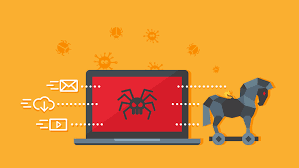
 Computers (in all shapes and sizes) have become crucial to our lives. All our work, information, and critical services now run through computer systems. That makes them a target for all sorts of malicious software. However, not every piece of nasty code is the same. There’s a huge variety of digital diseases out there, which makes it important to know the difference between a virus, trojan, worm, rootkit, and more.
What’s Malware?
Let’s start by identifying the umbrella term which covers all of the malicious software types listed below — malware. As you’ve probably guessed, the word is just the fusion of “malicious” and “software”. It covers any type of program written to harm you, your computer, or a third-party entity via your computer.
What’s a Virus?
A virus is the most basic and well-known type of malicious software. Viruses operate in a particular way that sets them apart from other types of malware. First, viruses infect other programs. They insert their code into another program with the hope that it will be executed when someone runs the legitimate program. Secondly, viruses self-replicate by infecting other programs they find on a computer.
Apart from trying to spread to other programs, viruses also have a payload. The payload can be anything the virus author wants it to be. Some viruses have benign payloads that don’t actually damage anything. The majority of viruses do harm your data or system on purpose by deleting data, stealing it, or otherwise doing something that’s not good for you or your PC.
What’s a Worm?
Computer worms and viruses are very similar in the sense that they self-replicate and execute a (usually) malicious payload on computer systems. Where they differ is in how they spread. A virus needs a host program to infect and relies on users to spread that infected program using removable storage, email, or another similar transmission method.
A worm exists as its own independent program, not as code attached to a third-party application. They also spread by themselves, without human intervention. For example, the Blaster Worm spread like wildfire in the mid-2000s thanks to a vulnerable open network port on Windows computers.
So if one computer at a company or school became infected, the program could quickly spread itself to other connected machines. Worms usually use vulnerabilities discovered in operating systems, hardware, or software to run their code without the user having to do anything at all. These days, firewalls and other network security systems are highly effective at stopping worms from spreading, but new holes are always being discovered.
What’s a Trojan?
Trojans are named after the Trojan Horse of Greek mythology. In the original story, the people of Troy wheeled a giant wooden horse statue into the city, thinking it was a goodbye present from their enemies. Unfortunately, it turned out to be the worst piñata ever, filled with Greek soldiers who snuck out at night and opened the city gates for the rest of their army.
Computer trojans work in exactly the same way, except instead of a big horse you’ll get a program that says it’s something useful and harmless. In reality, behind the scenes, it’s doing malicious things. Unlike viruses or worms, trojans don’t usually try to infect other software or replicate themselves. Instead, they tend to install other malware on your system and call back to their creator, handing over control of your computer to the trojan’s author.
Trojans usually spread through “social engineering”, a hacker technique that relies on common weaknesses in human psychology to fool users into doing something. In this case, the “something” is opening a program because you think it’s something cool.
What’s a Rootkit?
Rootkits are probably the most dangerous form of malware in existence. It’s not one piece of malware, but a collection (hence “kit”) of applications that are installed on a system. Together these applications take over control of the computer at a low level. A “low level” means at the level of the operating system itself, letting the creator of the rootkit do absolutely anything they’d like to the computer system and its data.
One of the reasons that rootkits are so dangerous is how hard they are to detect. Since the rootkit is at least as powerful as the operating system itself, antimalware software can be fended off with little effort. After all, the rootkit has more authority than any other application on the system. Rootkit detection and removal usually involves using a specialized bootable USB drive that prevents the installed operating system from loading in the first place before it scrubs the rootkit clean.
What’s Adware?
Adware includes any software that displays advertising to the user, but in the context of malware, those adverts are unwanted. While Adware by itself is generally not harmful, malicious adware installs itself without your consent and can negatively affect your browsing experience and computer performance.
Adware can make its way onto your computer in various ways. Ad-supported software that’s open and upfront about it is technically adware, but not malware. Other software that’s not malicious can sometimes be sneaky about including adware in their installers. They use an “opt-out” approach where the default installation includes pre-ticked tick boxes to install adware, most users just power through installation wizards without reading anything. Thus they unintentionally give the adware permission to install. In worst-case scenarios, you’ll be seeing a deluge of popups from your browser and have your web browsing redirected to predatory websites. Dedicated software such as AdAware is usually best for tackling adware in particular.
What’s Spyware?
Unlike other types of malware, Spyware generally avoids doing anything to your system that you’d notice. Instead, spyware exists to monitor what you do and then send that information back to the spyware author.
That can include all sorts of information. For example, the spyware might take screenshots of documents you’re working on. That’s a function those engaged in espionage are likely to want. Spyware deployed by criminals usually captures information for financial gain. For example, keyloggers save your keystrokes to a text file. When you type in the address of something like a banking website and then type in your username and password, the keylogger captures that information and sends it back home. Spyware can also refer to legitimate software that contains functionality the user is unaware of where user behavior or information is sent back to the developers. In most countries this type of data gathering has to be disclosed, so read your user agreements carefully! Trojans can install spyware on your system as part of their payload and Rootkits are at least partially a type of spyware themselves.
What’s Ransomware?
Ransomware is a particularly nasty type of malware that doesn’t destroy your data but locks it behind strong encryption. Following this, the creators of the malware demand a ransom from you in order to get your data back. This works because strong encryption is virtually impossible to break. So unless you pay the ransom amount, your data is effectively gone. However, you should never actually pay money to ransomware creators. First, you aren’t guaranteed to regain access to your data. Secondly, you’re emboldening them to keep victimizing people. The best way to deal with Ransomware is to proactively backup and protect your data in places the malware can’t reach it.
For more information on solutions for running your businesses’ technology more efficiently, visit our website or contact Megan Meisner at mmeisner@launchpadonline.com or 813 448-7100 x210.
This was originally posted by OnlineTechTips.



