
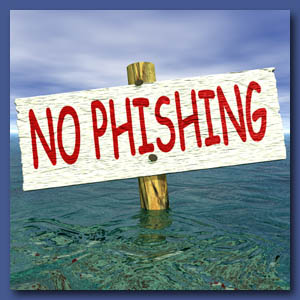
 The term Ransomware has now become part of our everyday lexicon with the proliferation of CryptoLocker, a particularly nasty malware variant that encrypts the contents of your computer and demands payment to unlock the files. CryptoLocker is predominantly spreading via various email phishing campaigns, including some from legitimate businesses, or through phony Federal Express or UPS tracking notifications. This threat is serious enough to warrant an advisory from the United States Computer Readiness Team (US-CERT) urging infected victims to not pay the ransom associated with the malware. In addition to making sure that your antivirus is up to date, the biggest prevention against infection by CryptoLocker is educating staff on how to identify phishing email messages.
Years ago, phishing scams were pretty easy to identify. In most cases the emails looked iffy with bad grammar and typos and originated from mysterious senders. Today cybercriminals closely mimic legitimate emails and websites, frequently using the same logos and images as the companies they are spoofing. As cybercriminals become more sophisticated, users have to become more savvy in protecting themselves.
1) Check who the email was sent to
If you receive an email that you weren’t expecting, check who else the email was sent to. Are there other recipients in the to: or cc: field that you don’t recognize? Many legitimate companies use third-party email applications such as iContact and you will rarely see other addresses in these fields. Don’t be tricked if you see other email addresses in your company using the same domain. Look to see if the email was sent to addresses like info@ or webmaster@. This should be a red flag that the email is not legitimate.
2) Hover over links – don’t click
If you receive an unexpected email with an embedded link, hover over it to see if the address matches the link that was typed in the message. If you see an IP address or some other company name, it is a dead giveaway that the link isn’t legitimate. Instead of clicking, type in the URL for the company purported to have sent the email and look for the information or offer directly on their website. Be sure to read the domain carefully. Scammers will often slightly misspell a domain in a link so at first glance it looks legitimate but it really reads something like launchpdonlne rather than launchpadonline.
3) Don’t open email attachments
If you receive an email from say Amazon or UPS providing an update or a change in delivery that has a file attachment, do not open the attachment or download the zip file. Again, practice caution and go directly to the company website to verify the information.
4) Continue educating yourself and others
US-CERT provides links to documents and websites with information about phishing scams and how to protect yourself. They collect phishing email messages and website locations to help people avoid becoming victims of cybercriminals. Users can report phishing emails to US-CERT by creating a new email and dragging and dropping the suspicious email into it and sending it to phishing-report@us-cert.gov. If you can’t drag and drop the message, open the email, go to File > Properties > Details and copy the email headers into a new message and send it.
5) Make sure you have good backups of your data
In the event that you become infected, many anti-virus products can remove the malware but in many cases the files cannot be unencrypted. Having up-to-date backups will allow you to restore your data saving you both time and money. If you don’t have a back-up, don’t be tempted to pay the ransom. In some cases, they will just take your money and won’t unlock your files and even if they do, paying these guys will just encourage others to create similar viruses.
So what should you do if you do become infected by CryptoLocker?
If you believe you have been infected, unplug your computer from the internet as soon as possible in case the virus is still in the process of infecting your files. Next, verify which files have been affected. Once you have determined the extent of the infection, it’s time to wipe the virus from your computer with your anti-virus software. Just about every vendor has developed a CryptoLocker cleaning tool. Once your workstation has been thoroughly cleaned, restore your backed-up files and you should be all set.
The bad news is anti-virus providers haven’t been able to develop protection against infection by CryptoLocker. Right now, the best prevention is making sure that users are aware of the virus and how to protect themselves.
For more information on solutions for running your businesses’ technology more efficiently, visit our website or contact Megan Meisner at mmeisner@launchpadonline.com or 813 920 0788 x210.



