
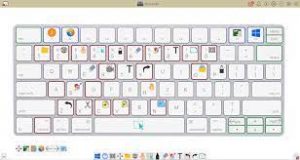
 Windows may be designed for touchscreens, but thanks to a slew of Windows keyboard shortcuts it’s easy to bypass touch and use a just keyboard and mouse. These shortcuts let you do things on your computer by using keys instead of clicking on drop down menus and can save you a bit of time and effort.
Here are some good ones to remember, along with several important carry-overs you may remember from earlier versions of Windows. These are the ones we believe are useful, of the dozens and dozens available.
Must-Know general Windows shortcuts
You can find the full set of Windows shortcuts on Microsoft.com broken out by operating system, but these are the important ones.
Shortcuts when editing documents
Ctrl + A — Select all items in a document or window
Ctrl + C — Copies selected text or item
Ctrl + X — Cuts selected text or item
Ctrl + V — Pastes text or item on clipboard to your cursor location or designated file location.
Ctrl + D — Delete selected text or item
Ctrl + Z — Undo something
Ctrl + Y — Redo something
Ctrl + B — Turn on or turn off bold
Ctrl + I — Turn on or turn off italics
Ctrl + U — Turn on or turn off underline
Shift with any arrow key — Select more than one item in a window or on the desktop, or select text within a document
Ctrl + Shift with any arrow key — Selects blocks of text by paragraph. Keep holding down first two buttons and each time you hit the arrow key successively more paragraphs are highlighted.
Ctrl + Shift with End key — Selects all text from the cursor to the end of the document.
Ctrl + Shift with Home key — Selects all text from the cursor to the beginning of the document.
Ctrl + Right arrow — Move the cursor to the beginning of the next word.
Ctrl + Left arrow — Move the cursor to the beginning of the previous word.
Ctrl + Down arrow — Move the cursor to the beginning of the next paragraph.
Ctrl + Up arrow — Move the cursor to the beginning of the previous paragraph.
Ctrl + either the plus (+) or minus (-) signs — Zooms in or out.
Ctrl + S — Save a document.
Ctrl + P — Print a document.
Windows key + the period (.) key — Opens the Emoji panel
Shortcuts for navigating the desktop, apps and settings
Ctrl + Shift + Esc — Opens the task manager.
Ctrl+plus (+) or Ctrl+minus (-) — Zoom in or out of a large number of items, like apps pinned to the Start screen
Alt + Tab — Switch between open apps (except desktop apps in Windows 8)
Windows logo key? +Tab — Cycle through open apps (except desktop apps in Windows 8)
Shift + Delete — Delete the selected item without moving it to the Recycle Bin first
Windows key + D — Pulls up or hides the Desktop.
Windows logo key + L — Lock your PC or switch users
Windows logo key + M — Minimize all windows
Windows logo key + Shift + M — Restore minimized windows on the desktop
Ctrl + Alt with any arrow key — Rotate entire screen in direction of arrow key. Helpful for viewing photos or videos that aren’t right-side up.
Windows 11 shortcuts
Windows logo key + A — Open Quick Settings (Bluetooth, WiFi, Airplane Mode, Battery Saver, Brightness, and more)
Windows logo key + C — Open Chat from Microsoft Teams
Windows key + H — Launch voice typing
Windows key + K — Open Cast from Quick Settings
Windows logo key + N — Open notification center and calendar
Windows logo key + S — Search for any file or an app installed on your computer
Windows logo key + W — Open Widgets
Windows logo key + Z — Open the snap layouts
Windows 10 shortcuts
Windows logo key + A — Access the Action Center menu where you can view your notifications and access commonly used settings like Wi-Fi and Bluetooth
Windows logo key + I — Access Windows Settings
Windows logo key + C — Open Cortana in listening mode
Windows logo key + S — Search for any file or an app installed on your computer
Windows 8 shortcuts
Windows key + C – Opens the Charms bar, the menu that pops out from the right of your screen that gives you quick access to Search, Share, Start, Devices and Settings. If you use this shortcut within an app it will open app-specific commands.
Windows key? + F — Open the Search charm to search files
Windows key? + S — Opens the Search charm to search everywhere (including your files, settings and the Web).
Windows key + H — Opens the Share menu for the app you’re using.
Windows key + I — Opens the Settings charm, which includes often-used functions such as Volume, WiFi Networks and Power.
Windows key + X — Calls up a menu of advanced system tools, such as the Control Panel, Command Prompt, Task Manager and File Explorer.
Windows key + tab — Lets you toggle between all the apps you have open.
Alt + F4 — Closes an app you’re using.
Windows key + the period (.) key — Snaps or docks the app you’re using to the right or left 20% of your screen. Press once for right alignment, twice for left alignment and three times to go back to full screen.
For more information on solutions for running your businesses’ technology more efficiently, visit our website or contact Megan Meisner at mmeisner@launchpadonline.com or 813 448-7100 x210.
This was originally posted by Techlicious.



