
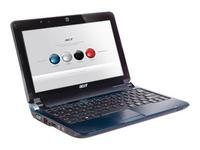
 If you’ve been shopping for a new laptop, the price difference between a business and a regular laptop must have caught your eye. But what exactly makes business laptops pricier, and are they worth the extra cost? Let’s break down the key differences to help you make the right purchase decision.
Security: Keeping Your Business Private
Professionals who use business laptops have sensitive company data on their devices, and it’s the manufacturer’s aim to help keep the data as secure as possible. That’s why any business laptop worth its salt comes with biometric security in the form of a fingerprint scanner or facial recognition through Windows Hello. Some Fujitsu laptops even have palm vein scanners, the most secure type of biometric security. Other higher-end laptops come with a physical smart card scanner that you can use to unlock the device.
Drive encryption is another prominent security feature mainly found on business laptops, although it’s now more common on other types of laptops as well. With the help of a built-in TPM (trusted platform module) chip, Windows BitLocker can encrypt the data on your drive and fully protect it from intruders, even if your laptop gets stolen. You’ll still be able to access the encrypted data with ease after logging in. Windows 11 requires a modern TPM as a minimum, so these encryption features have become universal on laptops designed to work with Windows 11 or later. The last prominent security feature commonly found in business laptops is the Kensington Security Slot. It’s a slot on your laptop where you have to insert a physical key to unlock and use the laptop. Although it has fallen out of fashion, some laptops still have the K-Slot or a proprietary accessory to enable it.
Cost: Prepare Your Wallet
Business laptops come at a premium price compared to consumer-grade laptops because the improved security, quality control, and additional features all cost money to integrate. The costs on the manufacturing side quickly add up, resulting in a more expensive laptop. While you can find regular Windows laptops and Chromebooks for as low as $150, decent business laptops start at around $500. If you want an enterprise model with cutting-edge tech it’s closer to $2,000.
Performance and Features: Maximize Your Productivity
I’ll preface this by saying that business laptops aren’t necessarily faster than consumer laptops. Mass-produced business laptops for enterprise use are comparable to regular laptops.
Still, there’s a subcategory of extremely powerful business laptops called “workstation laptops.” Workstation laptops are comparable to high-end gaming laptops in performance, sometimes even outperforming them. Thanks to a more powerful CPU and GPU and more RAM, workstation laptops have no trouble handling multiple tasks and running demanding productivity apps like DaVinci Resolve and AutoCAD. These workstation laptops often use special workstation-grade components (e.g. Xeon CPUs or Quadro GPUs) which come with better stability, drivers, and aftermarket support. Business laptops also put a lot of emphasis on HD web cameras and noise-canceling microphones for seamless business calls. Other features you can expect include a higher-quality keyboard, smart card reader, more USB ports, and SD and SIM card slots.
Battery Life: Powering Through Your Workday
The power-hungry hardware in a business laptop is usually paired with a larger or higher-quality battery. Business laptops cater to professionals who may have to use their laptops for up to eight hours without charging, so the manufacturer can’t cheap out by throwing in a lower-quality battery.
Durability: Built to Last a Decade
In addition to having more features and better battery life, business laptops are built to last longer. After all, a good portion of business laptops are provided by companies rather than purchased outright. These companies think of laptops as investments and company property that can be passed from one user to another and later sold. A legendary example of this is the ThinkPad laptop series. Also, business laptops tend to come with better cooling with larger fans and heat sinks. The lower temperature translates into a longer lifespan for your CPU and battery, as prolonged heat exposure wears down those components. As a result, business laptops tend to be slightly thicker and bulkier. And since they’re built using more premium materials and have a thicker outer shell, they’ll be more resistant to physical damage.
Software: Windows Pro for Power Users
A telltale sign of a business laptop is the software. Business laptops come bundled with Windows 11 Pro rather than the Home edition. A significant difference with Windows Pro is BitLocker drive encryption, as explained above. You also get better customer support and additional features like Windows Sandbox, which lets you open a suspicious file or app in a virtual desktop environment without risking the safety of your device.
Another prominent difference is the pre-installed software. Business laptops have a long-standing reputation for coming with minimal or no bloatware. Compare that to consumer laptops packed with bloatware that you have to uninstall manually. That’s because the manufacturer sells you the laptop as cheaply as possible and wants to extract more money from of your pocket through subscriptions to their proprietary programs and partnership deals with software companies.
Design: Blend in With the Crowd
You don’t want to stand out for the wrong reason during a business meeting, including your laptop choice. If you show up with a colorful, RGB-powered laptop with a dragon on the back, you won’t be taken seriously. That’s why business laptops feature gray, bland design esthetics with nothing but the manufacturer’s logo on the back. Warranty: Save Money in the Long Run
Although the exact warranty coverage and length largely depend on the manufacturer’s policy, the industry standard for regular laptops is one year. You can buy a warranty extension, but it doesn’t always make sense financially if it’s a cheap model. The same cannot be said for business laptops, though.
Since business laptops cost more, you may also get extended warranty coverage at a discount or for free—up to three years or even longer. For example, some HP Dragonfly and Dell Latitude laptops come with a three-year standard warranty. But this isn’t a rule by any means, so double-check with the retailer before purchasing. If the laptop stops working as intended, you can have it repaired or replaced for free within the time frame, so it won’t interrupt your workflow.
Do You Need a Business Laptop?
If your laptop is a vital tool you use to earn a living, or if you value data security, it makes sense to spend a bit extra on a business-oriented laptop. Thanks to the better overall quality and durability, you’ll have a device you can rely on; the last thing you want on a business trip is to temporarily lose access to vital data because your cheap laptop decided to call it quits. But if you just need a basic laptop for web browsing, movies, and occasional light work, then it makes sense to save your money and get a cheaper consumer laptop.
For more information on solutions for running your businesses’ technology more efficiently, visit our website or contact Megan Meisner at mmeisner@launchpadonline.com or 813 448-7100 x210.
This was originally posted by HowtoGeek.



